Introduction to Expert Systems: Your Guide to AI That Thinks Like a Human
Imagine you’re feeling unwell and visit a doctor. The doctor asks about your symptoms, thinks about possible diseases, and suggests a treatment. Now, what if a computer could do this? That’s where Expert Systems come in! An Expert System is a type of Artificial Intelligence (AI) that mimics a human expert’s decision-making skills in a specific field, like medicine, engineering, or finance. It’s like having a super-smart assistant who knows a lot about one topic and can solve problems for you.
For students, understanding Expert Sys. is crucial, especially if you’re studying Artificial Intelligence (AI) or preparing for exams in Computer Science. This blog will break down Expert Sys. into simple parts: Introduction, Knowlehttps://www.sciencedirect.com/topics/computer-science/knowledge-acquisitiondge Acquisition, Knowledge Base, and Working Memory. We’ll use everyday examples so you can understand each concept clearly and even write about it in your exams. Plus, we’ll make it fun and relatable!
By the end, you’ll know:
- What Expert Systems are and why they matter.
- How they get their “smarts” (Knowledge Acquisition).
- Where they store their knowledge (Knowledge Base).
- How they think and solve problems (Working Memory).
Let’s dive in and make Expert Sys. as easy as chatting with a friend!
What Are Expert Sys? A Simple Explanation
An Expert Sys is a computer program that acts like a human expert in a specific area. It uses stored knowledge to solve problems, answer questions, or make decisions. Think of it as a brainy robot that knows everything about one subject, like a doctor who specializes in heart diseases or a mechanic who fixes cars.
Why Are Expert Sys Important?
- Saves Time: They provide quick solutions without needing a human expert every time.
- Available 24/7: Unlike humans, Expert Sys. don’t sleep!
- Cost-Effective: They reduce the need for expensive consultations.
- Consistent: They give the same reliable answers every time.
Real-Life Example
Let’s say you’re a farmer wondering why your plants are dying. An Expert Sys for agriculture could ask you questions like:
- Are the leaves yellow?
- Is the soil dry?
- How much sunlight do the plants get?
Based on your answers, it might say, “Your plants have a fungal infection. Use this fungicide.” This is exactly what a human expert would do, but the system does it faster and is always available.
Exam Tip
In your exam, define Expert Sys as: “A computer program that uses AI to mimic human expertise in a specific domain, solving problems using stored knowledge and reasoning.” Then, give an example like the farming system above to score extra marks!
Key Components of Expert Systems
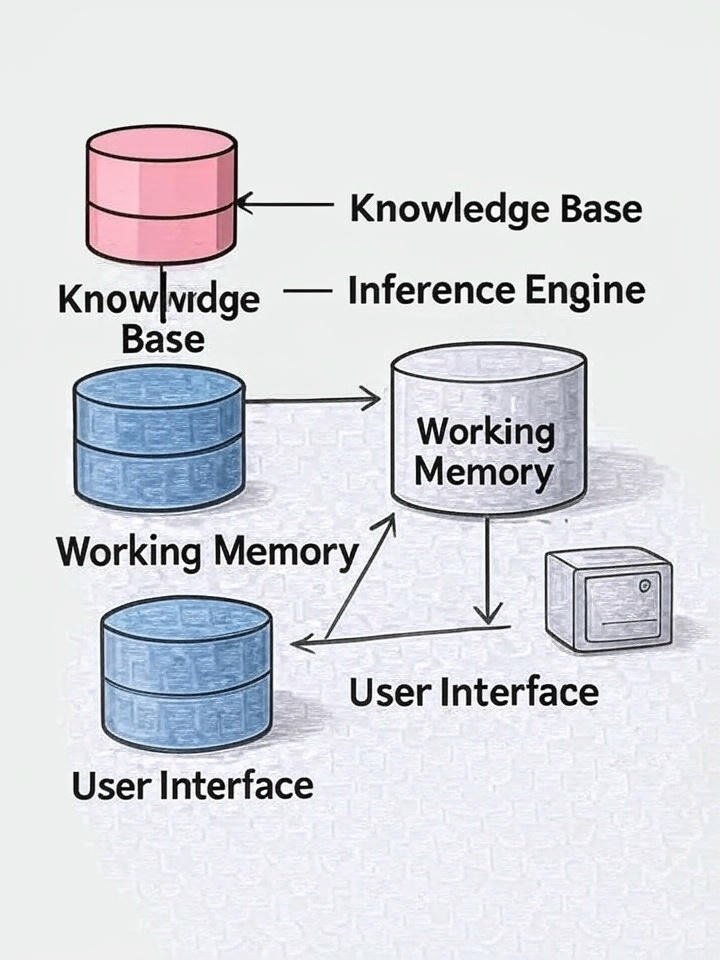
To understand how Expert Sys work, let’s break them into their main parts. For this blog, we’ll focus on three key components:
- Knowledge Acquisition
- Knowledge Base
- Working Memory
These are like the brain, memory, and thinking process of the Expert Sys. Let’s explore each one with examples that make them crystal clear.
1. Knowledge Acquisition: How Expert Systems Learn
Focus Keyword: Knowledge Acquisition
What Is Knowledge Acquisition?
Knowledge Acquisition is the process of collecting and organizing knowledge from human experts or other sources to feed into the Expert Sys. It’s like teaching the system everything a human expert knows about a topic. This knowledge could come from:
- Interviews with experts.
- Books, manuals, or research papers.
- Observations or experiments.
Why Is It Important?
Without Knowledge Acquisition, an Expert Sys. would be like a student with no notes—it wouldn’t know anything! This step ensures the system has accurate and reliable information to make decisions.
How Does Knowledge Acquisition Work?
- Identify Experts: Find people who are specialists in the field (e.g., doctors for a medical system).
- Gather Knowledge: Ask them questions, record their answers, or study their work.
- Organize Knowledge: Turn their expertise into rules or facts the computer can understand.
- Input into System: Store this knowledge in the Knowledge Base (we’ll talk about this next).
Example: Medical Expert Sys
Imagine creating an Expert Sys to diagnose colds. You interview a doctor who says:
- If a patient has a runny nose and fever, it’s likely a common cold.
- If there’s a sore throat and cough, it could be flu.
These statements become rules in the system, like:
- Rule 1: Runny nose + Fever = Common Cold (80% chance).
- Rule 2: Sore throat + Cough = Flu (70% chance).
This process of turning the doctor’s knowledge into rules is Knowledge Acquisition.
Real-Life Analogy
Think of Knowledge Acquisition like studying for an exam. You ask your teacher (the expert) for tips, take notes, and organize them in a way you can understand. The Expert Sys does the same, but instead of a notebook, it uses a computer!
Exam Tip
For exams, write: “Knowledge Acquisition is the process of collecting and structuring expert knowledge from sources like interviews or documents to build an Expert Sys. intelligence.” Use the medical example above and mention rules to make your answer stand out.

2. Knowledge Base: The Brain of the Expert System
Focus Keyword: Knowledge Base
What Is a Knowledge Base?
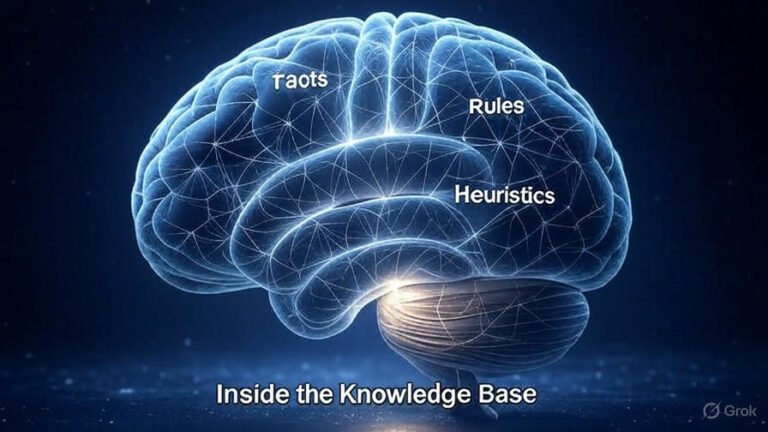
The Knowledge Base is where all the knowledge collected during Knowledge Acquisition is stored. It’s like the Expert Sys. brain, filled with facts, rules, and information about a specific topic. The system uses this knowledge to solve problems or answer questions.
What’s Inside a Knowledge Base?
- Facts: Basic information, like “A fever is a body temperature above 98.6°F.”
- Rules: If-then statements, like “If fever and cough, then possible flu.”
- Heuristics: Expert tips or shortcuts, like “If a patient is young and healthy, flu recovery is faster.”
Why Is the Knowledge Base Important?
The Knowledge Base is the heart of the Expert Sys. Without it, the system can’t make decisions. A good Knowledge Base is:
- Accurate: Contains correct information.
- Complete: Covers all necessary topics.
- Organized: Easy for the system to access.
Example: Car Repair
Suppose you’re building an Expert Sys to fix car problems. The Knowledge Base might include:
- Fact: “A car battery lasts 3-5 years.”
- Rule: “If the car won’t start and lights are dim, then the battery is likely dead.”
- Heuristic: “If the battery is over 3 years old, replace it instead of recharging.”
When a user says, “My car won’t start, and the lights are dim,” the system checks the Knowledge Base and suggests, “Your battery may be dead. Replace it if it’s over 3 years old.”
Real-Life Analogy
Think of the Knowledge Base as your study notes for an exam. You’ve written down all the important facts and formulas (like the doctor’s rules). When you’re solving a question, you refer to these notes to find the right answer. The Expert Sys does the same with its Knowledge Base.
Exam Tip
In your exam, define the Knowledge Base as: “A storage of facts, rules, and heuristics that an Expert Sys uses to make decisions.” Give the car repair example and explain one fact and one rule to make your answer clear and memorable.
3. Working Memory: How Systems Think
What Is Working Memory?
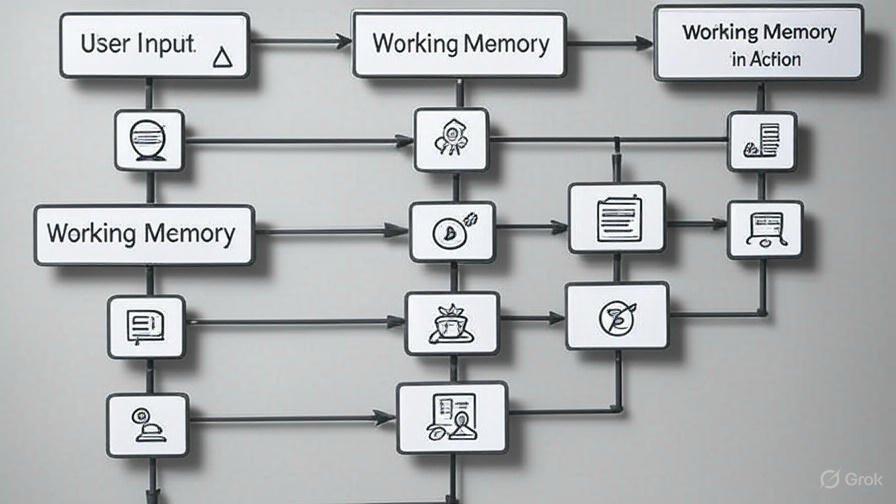
Working Memory is the part of the Expert sys. that holds temporary information while solving a problem. It’s like the system’s short-term memory, storing the user’s input and intermediate results as it thinks through a solution.
How Does Working Memory Work?
When you interact with an Expert Sys. :
- You provide input (e.g., symptoms or problems).
- The system stores this input in the Working Memory.
- It compares the input to the Knowledge Base using an Inference Engine (a program that applies rules).
- The system updates the Working Memory with new findings as it works toward a solution.
Why Is Working Memory Important?
Working Memory allows the Expert Sys. to “think” step-by-step, just like a human. It keeps track of what’s happening during the problem-solving process, ensuring the system doesn’t forget important details.
Example: Restaurant Recommendation System
Imagine an Expert Sys. that suggests restaurants based on your preferences. You tell it:
- I want Italian food.
- My budget is $20.
- I’m near Main Street.
The Working Memory stores:
- Preference: Italian food.
- Budget: $20.
- Location: Main Street.
The system checks the Knowledge Base, which has rules like:
- If Italian food and budget <$30, recommend “Pizza Palace.”
- If near Main Street, confirm “Pizza Palace” is 0.5 miles away.
The Working Memory updates with: “Pizza Palace matches criteria.” The system then suggests, “Try Pizza Palace for Italian food within your budget!”
Real-Life Analogy
Working Memory is like jotting down quick notes while solving a math problem. You write down the numbers you’re working with, do some calculations, and update your notes as you go. The Expert Sys uses Working Memory to keep track of the user’s input and its progress.
Exam Tip
For exams, write: “Working Memory is the temporary storage in an Expert Sys that holds user inputs and intermediate results during problem-solving.” Use the restaurant example and mention how the Inference Engine uses Working Memory to connect input to the Knowledge Base.
How Expert Sys. Work Together: A Quick Recap
Let’s tie it all together with a simple example to show how Knowledge Acquisition, Knowledge Base, and Working Memory work as a team.
Scenario: Plant Care Expert Sys.
You’re a student with a dying houseplant. You use an Expert Sys to figure out what’s wrong.
- Knowledge Acquisition:
- A botanist (expert) was interviewed to create the system.
- They shared rules like: “If leaves are yellow and soil is wet, overwatering is likely.”
- This knowledge was organized into the system.
- Knowledge Base:
- Stores facts: “Overwatering causes yellow leaves.”
- Stores rules: “If yellow leaves + wet soil, recommend reducing watering.”
- Ready to help the system solve plant problems.
- Working Memory:
- You input: “My plant has yellow leaves, and the soil is wet.”
- Working Memory stores: Yellow leaves, wet soil.
- The Inference Engine checks the Knowledge Base and finds the overwatering rule.
- The system suggests: “You’re overwatering your plant. Water less frequently.”
This process is how Expert Sys solve problems like a human expert, making them powerful tools in AI.

Advantages and Limitations of Expert Sys
To help you in exams, here’s a quick look at the pros and cons of Expert Sys.
Advantages
- Fast and Efficient: Provide quick solutions compared to human experts.
- Always Available: Work 24/7, unlike humans.
- Scalable: Can be used by many people at once.
- Saves Money: Reduces the need for expensive consultations.
Limitations
- Limited Scope: Only work in specific areas (e.g., a medical system can’t fix cars).
- Expensive to Build: Knowledge Acquisition takes time and money.
- No Creativity: Can’t think outside the Knowledge Base.
- Needs Updates: Knowledge Base must be updated as new information arises.
Exam Tip
In exams, list 2-3 advantages (e.g., speed, availability) and 2-3 limitations (e.g., limited scope, cost). Use the plant care example to explain how these apply.
How to Study Expert Sys for Exams
To ace your exams, follow these tips:
- Understand Definitions: Memorize definitions for Expert Sys, Knowledge Acquisition, Knowledge Base, and Working Memory.
- Use Examples: Always include examples (like the medical, car, or plant systems) to show you understand.
- Draw Diagrams: Sketch the components (Knowledge Base, Working Memory, Inference Engine) to explain how they connect.
- Practice Rules: Write sample rules (e.g., “If fever + cough, then flu”) to demonstrate Knowledge Base usage.
- Revise Advantages/Limitations: Be ready to list these in short-answer questions.